
Your list is empty, add products to the list to send a request










How to Use Fire Alarm Control Panel

22
Jul
Whether you manage a building, office, or residential complex, knowing how to use a fire alarm control panel is crucial for safety. The control panel is the brain of your fire protection system—it monitors detectors, identifies alarms, and coordinates emergency responses. In this guide, you’ll learn exactly how to operate, maintain, and troubleshoot a typical fire alarm control panel.
What Is a Fire Alarm Control Panel?
A fire alarm control panel (FACP) receives signals from smoke detectors, heat sensors, manual call points, and sprinkler systems. It then determines if there’s a fire emergency and alerts occupants via horns, strobes, or voice annunciation. It can also send signals to the fire brigade or monitoring centre.
Key Functions of a Fire Alarm Control Panel
- System Monitoring – Continuously scans all connected detectors.
- Alarm Signalling – Sounds alarms and flashes indicators when a fire is detected.
- Zone Identification – Displays the specific zone or device in alarm.
- Trouble Notification – Flags malfunctions like low battery or wiring faults.
- System Reset – Clears alarms once the issue is resolved.
- Supervision of Devices – Monitors integrity of detection, notification, and control devices.
Fire Alarm Control Panel Components
A standard panel typically includes:
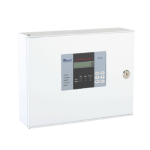
- LCD or LED Display – Shows status and zone information.
- Zone LEDs – Indicate active zones, faults, or supervisory alerts.
- Keypad – For system control functions (e.g., silence, reset, drill).
- Power Indicators – Show AC mains and backup battery status.
- Status or Alarm Horn – Audible alerts for system events.
- Wiring Terminals – For detectors, call points, notification appliances, power.
- Battery Backup Unit – Ensures operation during power failures.
Basic Operation: How to Use Fire Alarm Control Panel
1. Power Up the Panel
- Ensure AC mains is connected and power LED is green.
- Check backup batteries are connected and fully charged.
2. Normal Mode
- The panel should read “Normal” and no LEDs should be flashing.
3. Alarm Response
When a detector or manual call point activates:
- The panel sounds a buzzer or horn.
- LED display indicates the alarm zone and initiating device.
- Alarm horns and strobes evacuate occupants.
- Additional features may include voice evacuation messages or piping smoke control.
4. Silencing Alarms
To silence the panel tone:
- Enter your access code.
- Press the SILENCE or ACKNOWLEDGE button to mute the panel’s internal sounder (notification appliances remain active).
5. Investigating and Resetting
- Investigate the cause of the alarm before resetting.
- Once resolved, press RESET to restore the system to Normal mode.
- The panel may prompt a “System Reset” to ensure all devices respond.
6. Handling Trouble Signals
If a “Trouble” indicator lights up:
- View details on the digital display.
- Investigate the problem (e.g., battery low, wiring fault, faulty detector).
- After fixing, press RESET to clear the warning.
How Do Alarm Panels Work?
A fire alarm control panel interconnects all devices in a loop or zoned configuration. Each detector/device is digitally monitored, and the panel processes signals to alert the system if a threshold is breached. Modern panels are microprocessor-based, allowing programming of hundreds of detection zones and system events.
Triggers pass through a priority hierarchy: alarm > supervisory > trouble. The panel handles annunciation, event logging, and typically timestamps events. Many systems can link to emergency services or building management systems via a communicator.
How to Power a Fire Alarm Panel
The FACP is powered primarily by mains electricity (230V AC or local equivalent). In addition, it must include a backup battery—usually two 12V sealed lead–acid units.
In a power outage:
- The panel automatically switches to battery backup
- Batteries must support 24 hours standby and 5 minutes alarm sound duration.
Panels also monitor battery voltage. A low-voltage “Trouble” alert indicates it’s time to replace batteries.
Step-by-Step Panel Operation Guide
| Step | Task | What to Do |
| 1 | Power check | Confirm AC power and backup battery LEDs are green. |
| 2 | View panel status | Should display “Normal” with no active LEDs. |
| 3 | Respond to alarm | Identify zone/device, initiate evacuation. |
| 4 | Silence buzzer | Enter code, press SILENCE/ACK, panel alarms still active. |
| 5 | Investigate | Dispatch staff to check the alarm location. |
| 6 | Reset system | After verifying, press RESET. If fault-free, the panel restores. |
| 7 | Handle trouble | Identify low battery, wiring errors, or short circuits, then reset. |
| 8 | Test system regularly | Perform monthly detector tests and annual full walkthrough inspections. |
Common Alarm Panel Modes
- Normal Mode: System idle, monitoring active
- Alarm Mode: Fire detected, initiating evacuation
- Drill Mode: Simulated alarm for testing, without external notifications
- Silent Mode: Stops audible output while panel remains active
- Trouble Mode: Indicates a system fault that needs attention
- Supervisory Mode: Indicates a non-fire device issue (e.g., valve in wrong state)
FAQs About Fire Alarm Control Panels
1. How does a fire alarm work step by step?
- Detection of smoke or heat by sensors
- Signal sent to control panel
- Panel processes input, confirms alarm
- Horns/strobes activate to alert occupants
- Panel displays alarm location on screen
2. How do alarm panels work?
They constantly monitor detector loops for changes. A microprocessor analyses signals and prioritises events. During an alarm, they trigger notification devices, log events, and manage zones.
3. How to power a fire alarm panel?
Panels require mains electricity and a DC backup battery (typically sealed lead‑acid). The system switches automatically, and batteries must meet 24 hours standby + 5 minutes alarm runtime.
Recommended Panel: Avani Addressable Fire Alarm Control Panel
Looking for a reliable, configurable system?
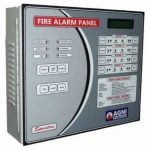
Avani Addressable Fire Alarm Control Panel (RAVEL)
- Addressable for precise device identification
- LCD display with zone annunciation
- Supports multiple input/output modules
- Mains and battery backup
Final Thoughts
Mastering how to use a fire alarm control panel ensures quick detection and response during emergencies. Regular testing, prompt attention to trouble signals, and clear evacuation procedures are key to keeping your building safe.
With proper knowledge and maintenance, your fire alarm panel becomes a powerful ally in life safety and property protection.
Looking for a top-quality fire alarm system?
Explore the Ravel Avani panel from Fire Supplies
Advanced detection, clear alerts, reliable performance

